Problem
Create a small game where timing, state changes and controls form one understandable loop.
Personal creative-coding project
A timing-based browser game connecting player input, game state, visible feedback and increasing difficulty in vanilla JavaScript.
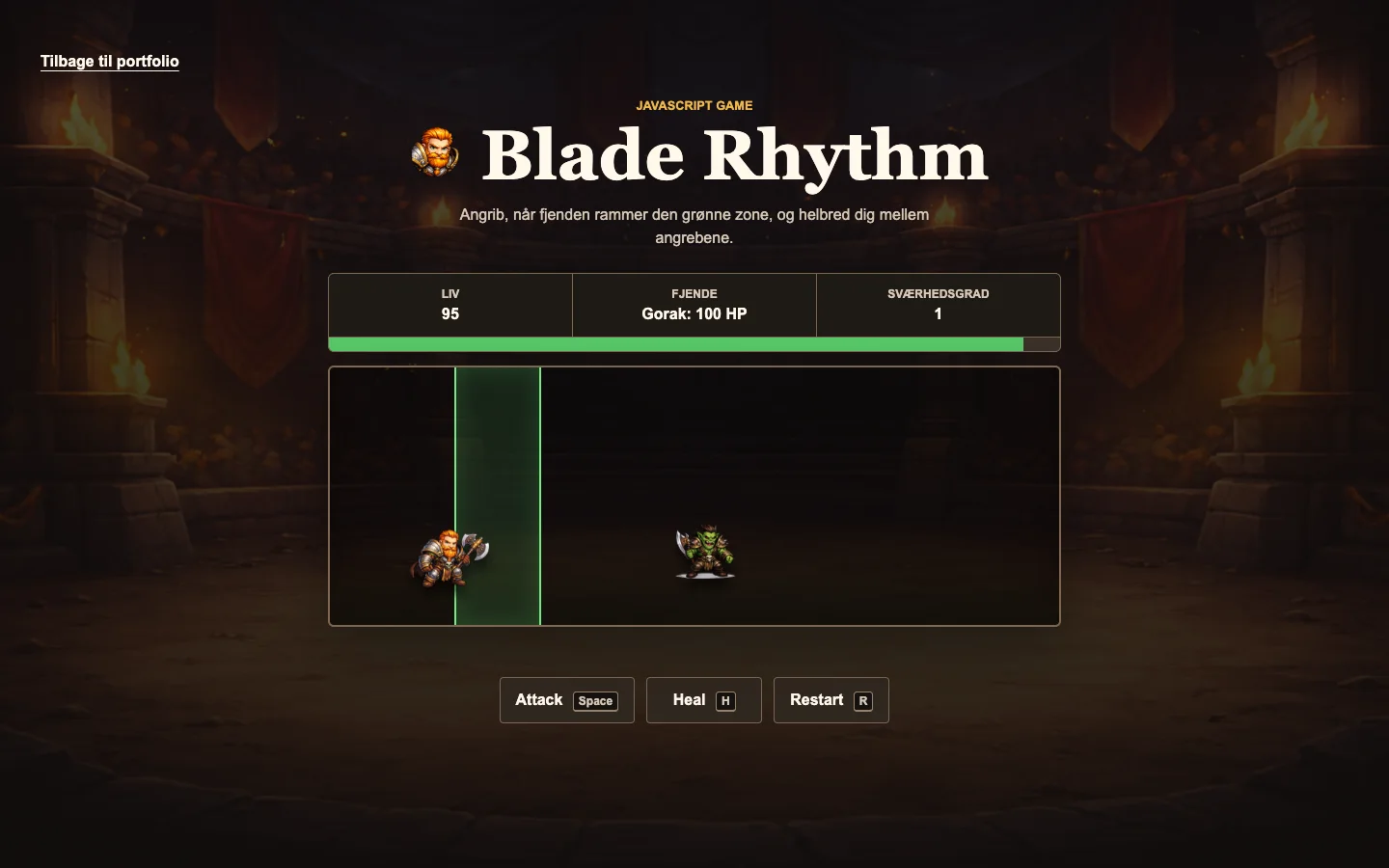
Create a small game where timing, state changes and controls form one understandable loop.
People familiar with casual browser games and keyboard or button controls.
Game concept, frontend, JavaScript logic, interface states and responsive adjustments.
HTML, CSS, JavaScript, DOM, keyboard input
01
The project began as a focused JavaScript exercise: an enemy moves, the player reacts, and the game updates health, combo, difficulty and visible feedback.
React when the enemy reaches the valid timing zone.
A small playable loop rather than a full game or custom engine.
02
Visible timing zones, health values and direct feedback help the player understand each result while the fantasy-inspired arena gives the small prototype a distinct character.
A timer moves the enemy and creates the timing window.
The attack button or Space checks the current position.
Health, combo and difficulty change from the result.
The interface reports the outcome before the next cycle.
03
Vanilla JavaScript keeps the game loop explainable. The hardest part was keeping timers, restart behaviour, player state and responsive controls in sync.
Restart clears previous timers before a fresh loop begins.
Buttons and keyboard input use the same underlying actions.
Pressure increases without changing the core rules.
Status values and controls remain usable on smaller screens.
04
Automated checks cover restart timers, keyboard controls, enemy attacks and reachable timing zones. External playtesting is still a planned next step.
Status: Planned — external playtesting has not yet been completed.
Test with 3–5 first-time players whether they understand the goal, controls and difficulty changes without moderator instruction.
Record completion, critical errors, assistance, hesitation, wrong turns and comments about timing and controls.
Findings and resulting changes remain pending until external playtests are completed.
The project connects interaction logic and visible state instead of only styling a static interface.
Keeping movement, attacks, restart and feedback from creating duplicate state.
Run first-time playtests and refine any controls or timing feedback that cause hesitation.
AI decision product · React and TypeScript